Guides / Done for you
Virtual agents for customer support: where to start
Quick summary
Next Gen Calls builds, connects, launches and tunes your AI customer-support agents for you. Virtual agents can answer approved questions, collect a request and help customers take the next step by phone or website chat. Your staff keep decisions and exceptions that need a person.
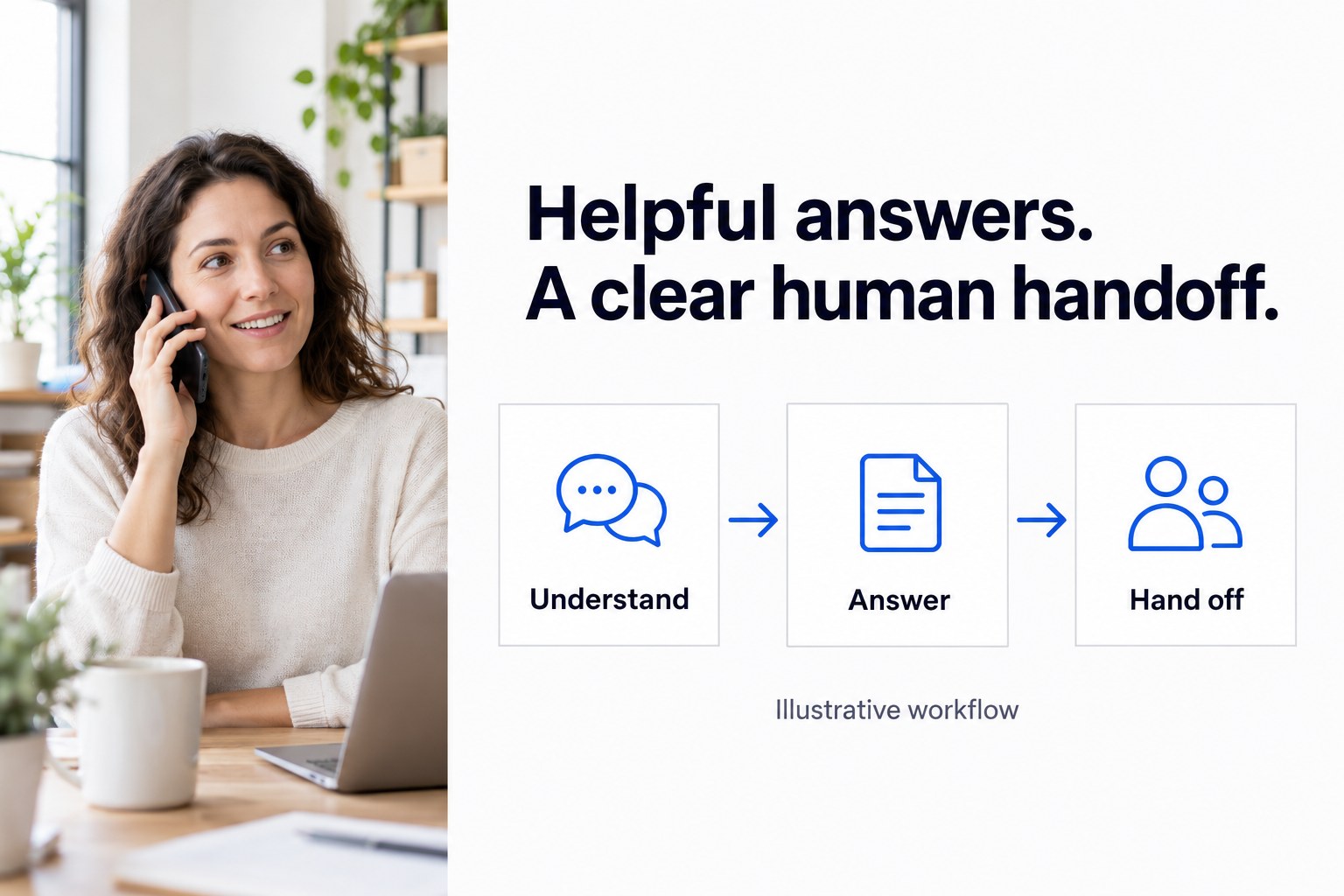
- 01 →
Understand the request
Find out what the customer needs and gather the details your team uses.
- 02 →
Give a useful next step
Answer from approved information or capture a clear request for your staff.
- 03
Reach the right person
Follow the agreed human path; on phone calls, brief the recipient before a warm transfer.
Illustrative workflow. We confirm the connected actions and permissions for your setup before launch.
Choose a support job that takes repeat work off your team
A useful virtual agent starts with a customer question, not a long feature list. Think about the calls or website messages your staff answer in much the same way each day. A customer wants your opening hours, asks what a service includes or needs help reaching the right person.
Choose one of those jobs for the first launch. The answer should come from information your business approves, and there should be a sensible next step when that answer is not enough. Google's virtual-agent overview describes a similar first-line support role with escalation to people.
Good starting points include:
- Answering routine questions about your services, location or hours.
- Gathering the details of an existing customer's request.
- Helping a caller reach the correct team without repeating a new-sales conversation.
- Booking an appointment through the path you have approved for that job.
A practical example: a customer needs to change an appointment
A customer calls while your staff are busy and says they cannot make their appointment. The agent asks for the details your team needs to identify the request and a reliable callback number. It can use an approved answer about how your business handles appointment changes.
If a staff member must review the change, the agent captures the request and follows your human route. On the phone, that can mean a warm transfer with a private briefing before the person joins. The customer should hear whether a change has actually been confirmed or whether their request is waiting for staff.
This example does not assume automatic cancellation or rescheduling in your calendar. The useful outcome is an understood request and an honest next step. An AI summary after the call gives your team the information collected, rather than a vague voicemail to interpret.
Decide what your team should keep
Some requests need authority, judgment or an exception to a policy. A customer asking for a refund, an account change or a promise about a sensitive issue needs the right person. Give the agent a clear route for those conversations instead of expecting a longer answer to solve them.
Your staff also decide what information must not be requested or read aloud. A missing or unclear answer should lead to a question or a handoff. The agent should not guess a policy, invent a resolution time or say a task is complete when it has only captured a request.
Give the agent information you would trust a new colleague to use
Bring the approved answers your staff already rely on: opening hours, service descriptions, booking instructions and who handles each kind of request. Add examples of how customers actually ask, including informal wording and questions that could mean more than one thing.
A short answer that points to the right next step is often more useful than a long explanation. Name the person who can approve changes when a service, price or policy changes. We use that information to build and tune the conversation for you.
Customer context can help too. Approved live lookups in HubSpot, GoHighLevel and Clio are verified during calls. We confirm which records and fields the agent may use, how a caller is matched and what happens if that match is uncertain. A connection to a CRM does not mean every record or action should be available in a conversation.
Choose the phone and website-chat paths separately
For phone reception, Smart Receptionist Agent™ can answer approved questions, gather a request, help with appointment booking and warm-transfer a caller. The receiving person can hear a private whisper briefing. We can configure routing by hours and holidays, plus a backup group and fallback if nobody answers.
Smart Chat Agent™ works in your website widget. It can answer approved questions, capture and qualify leads, and help with booking. Agree what happens when an existing customer's question needs staff; do not assume a website conversation has the same transfer or customer-data actions as a phone call.
If phone calls need oversight, supervisor listen and takeover are available. Calls can be handled in English and Spanish, with more languages available. We test the channels and languages selected for your build.
Bring a short support brief to the build call
You do not need a technical specification. A useful brief tells us:
- The first question or request you want the agent to handle.
- The business information it may use to answer.
- The details staff need if the request is passed to them.
- Who should receive the call or request, including after hours.
- Which decisions always stay with your team.
We build, connect, launch and tune the agent around that job. Add another support task when it has its own approved answers and a clear human path, rather than asking the first launch to cover every situation.
Test the awkward conversations before real customers call
Try an ordinary question, an unclear request and a customer who asks for a person. Then try a missing customer match and an unanswered transfer. Listen for a clear explanation of the next step, not just a friendly-sounding answer.
For the appointment-change example, check that the conversation distinguishes a recorded request from a confirmed calendar change. Compare the AI call summary with what the customer actually said. Your staff should be able to tell what is known, what is uncertain and what they need to do next.
Improve the service from actual conversations
After launch, ask your team which summaries helped, which questions kept coming back and which callers needed a person sooner. Those observations show us what to tune: an answer, a missing intake question or a different transfer route.
The aim is useful support that fits your business and gives customers a clear next step. It is not a promise that an AI agent can resolve every request or replace all of your staff's decisions.
A friendly note: have your team approve privacy, consent and recording wording for your business.
Common questions
What is a virtual agent for customer support?
Here, it means an AI agent that talks with customers by phone or website chat. It can use approved answers, collect information and follow an agreed next step. It is different from a remote human support worker.
Which support job should I start with?
Choose a frequent question or request with a clear answer and a clear human route. Business-hours questions, service information and requests to speak with the right team are useful starting points. Keep decisions such as refunds or account access with authorized staff.
Can it look up customer information during a call?
Approved live lookups in HubSpot, GoHighLevel and Clio are verified. We confirm the records, fields, permissions and matching rules for your build. Do not assume a phone lookup is automatically available in website chat or that every action in an integration is included.
Can a customer speak with a person?
We build that path into the phone workflow. A warm transfer can include a private whisper briefing, with a backup group if nobody answers. Supervisor listen and takeover are also available. Your team approves the routing and fallback.
Can the same service cover phone and website chat?
Next Gen Calls offers Smart Receptionist Agent for phone reception and Smart Chat Agent for the website widget. We scope and test each channel. Phone transfers, CRM actions and website-chat actions should not be assumed identical.
Do I have to build or maintain the agent myself?
No. We build, connect, launch and tune the agents for you. Your team supplies approved business information, names the human contacts and reviews the conversations we use to improve the service.