Guides / Done for you
Next-generation contact centers: a practical guide
Quick summary
A next-generation contact center connects customer conversations, useful customer information and a clear route to a person. For a smaller business, that can start with one well-designed call flow. Next Gen Calls builds, connects, launches and tunes the AI agents for you, around the work your team already does.
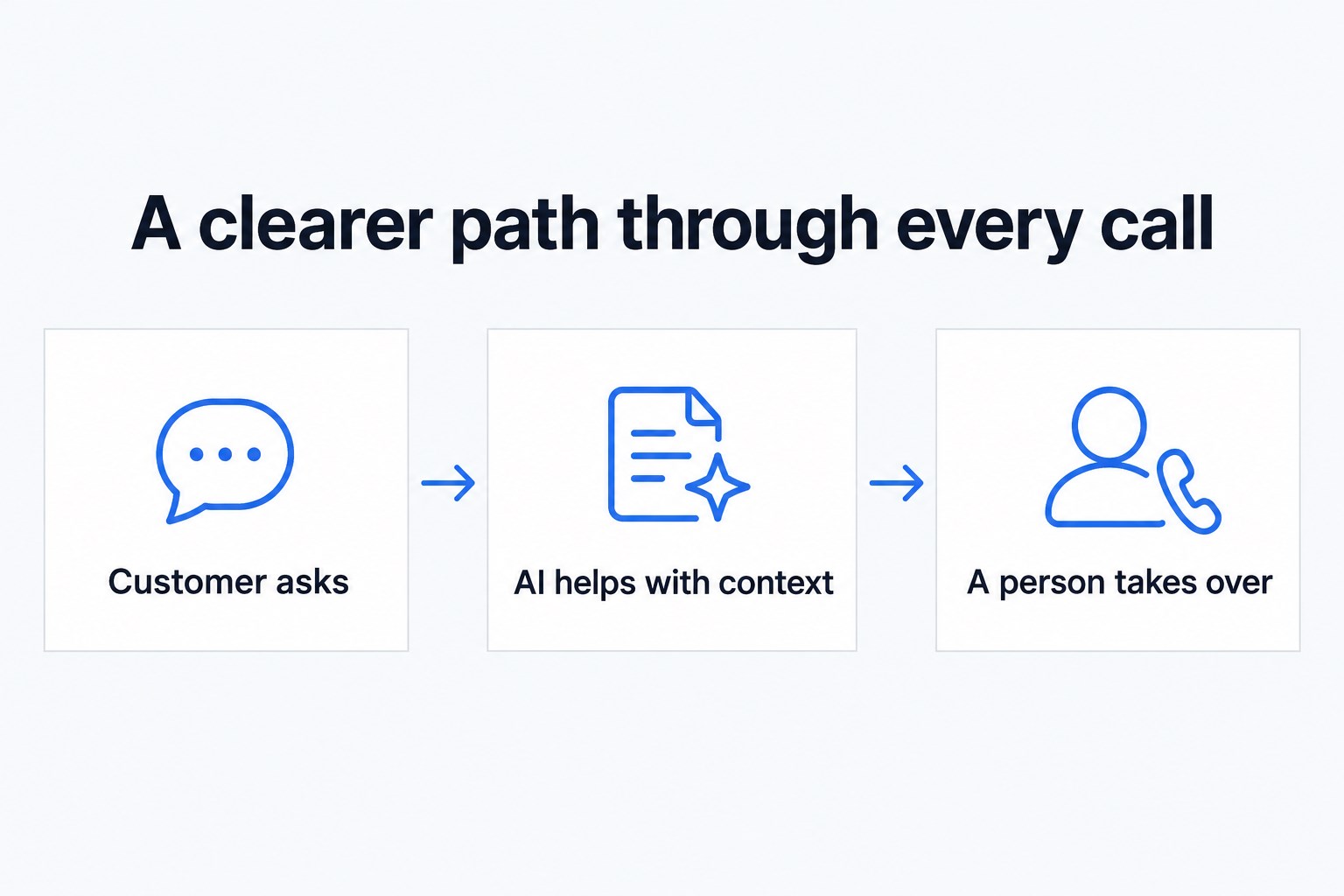
- 01 →
Answer the request
Find out what the caller needs in plain language.
- 02 →
Use the right context
Look up approved CRM information or follow a booking path.
- 03
Finish or hand off
Give a clear next step, brief a person and summarize the call.
Illustrative workflow. We confirm the connected actions and permissions for your setup before launch.
What changes for the customer?
The useful change is that the next step becomes easier. A caller can explain a request, receive an answer from approved information, book through a connected workflow or reach the right person with context. Your team can see a summary instead of piecing together what happened from a missed call.
“Next-generation contact center” is a broad phrase. For example, AWS describes a wider platform spanning self-service, agent assistance and analytics. A business buying help with reception may need only part of that. Start with the caller’s job rather than buying against a label.
Start with one call your team knows well
Pick a frequent, clearly bounded conversation. After-hours inquiries, basic service questions and appointment requests are useful candidates to examine. A refund dispute, legal decision or complicated support incident needs a person who has the authority and judgment to resolve it.
An illustrative example: an owner is serving a customer when another caller asks about a consultation. The agent asks the agreed intake questions and follows the connected calendar workflow. If the caller raises a question outside the approved information, it uses your handoff path. The team receives an AI call summary, with the completed action or unresolved request made clear.
Before choosing the first call type, write down:
- The question the caller is trying to answer.
- The information needed to take the next step.
- The actions the agent may complete.
- The point where a person should take over.
Choose connections that help the conversation
A connection matters when it helps the conversation or the next person handling it. Approved live lookups in HubSpot, GoHighLevel and Clio can bring agreed customer context into a call. Calendar connections can support the booking path you scope with us. An AI summary after each call helps staff review the request.
Ask to see the exact action your business needs with a sample record. “Integrates with” should not be treated as permission to read every field, change every object or run every automation. Also agree what happens when a record cannot be matched or a booking action fails.
Make the human handoff part of the design
Choose the conditions for reaching a person: the caller asks, the request is sensitive, information is missing or an action cannot be completed. Your team should hear enough context to continue the conversation. Google’s contact-center documentation also treats virtual-to-human transfer as an explicit configuration; it is something to design and test, not assume.
With Next Gen Calls, a warm transfer can include a whisper briefing for the recipient. Supervisor listen and takeover are verified capabilities. Routing by hours and holidays and a backup group help define the next path when the first person cannot answer. Test the unanswered path as carefully as the successful transfer.
We do not claim a hold queue, simultaneous ring or a full workforce-management platform. If those are requirements, identify them before choosing your approach.
What should the price include?
Ask for an itemized scope that separates the build from ongoing service and usage. Avoid comparing an entry-level software price with a managed service without checking who does the setup and ongoing work.
- Build and launch: the greeting, approved questions, connections and test calls.
- Ongoing service: what tuning and support are included.
- Usage and carrier time: what is metered, at what rate and under what agreement.
- Connected actions: which integrations and workflows are included or separately scoped.
- Changes: what happens when you add a department, calendar or new agent job.
For Next Gen Calls, active outbound voicemail time is carrier time under the agreement’s carrier rate; disconnected and inactive states are excluded. Have the quote explain those terms for the call flow you are considering. See the current pricing section and ask for a scoped build discussion rather than assuming a universal contact-center price.
How we build it for you
We learn how you want calls handled, connect the approved tools, test the routine and exception paths, then launch and tune the agent with your feedback. Start with the Smart Receptionist Agent™ for inbound reception. Add a different agent only when there is a distinct job for it: outbound Engagement, SMS/email Micro Agents, website Chat or the Commerce pilot. Event Concierge remains planned, with scheduling and booking as its stated scope.
Calls can be handled in English and Spanish, with more languages available. Confirm which languages your launch needs and include them in your test calls.
Use a launch checklist your team can judge
Listen to a routine inquiry, a caller asking for a person, a missing CRM match and an unanswered transfer. Check that the agent neither guesses nor reports an action as complete when it failed. Review the summary against what the caller actually said.
After launch, track which calls ended with a useful next step, which needed staff correction and which should have transferred sooner. Those observations are more useful than an unsourced promise about savings. We use them to tune the flow around your business.
A friendly note: review consent, contact and recording requirements for your situation. SMS consent tracking with A2P 10DLC and a do-not-contact list support an agreed process; they do not replace that review.
Common questions
Do I need a large contact center?
No. You can start with one call type, such as after-hours reception. A larger operation may need additional workforce, queue or service-management tools beyond the scope described here.
Will this replace my team?
We build around your team. Routine questions and intake can go to an AI agent; sensitive decisions and exceptions should have a clear route to a person.
How much does a next-generation contact center cost?
There is no single useful price without a scope. Ask for setup, recurring service, usage, carrier charges, integrations and ongoing tuning to be explained separately. Get a quote for your actual call flow.
Can it use my CRM during a call?
Approved live lookups in HubSpot, GoHighLevel and Clio are verified. We confirm the specific records, fields and actions for your build before launch.
What if the transfer is not answered?
We can configure routing by hours and holidays and a backup group. Agree the fallback and what the caller hears before launch.