Integrations / Done for you
HubSpot AI calling and receptionist integration
Quick summary
We build, connect, launch and tune your AI agents around HubSpot. When a new lead comes in, your Smart Engagement Agent™ can call them, while Smart Micro Agent Solutions™ follows up by text and email. We connect the conversation to your approved HubSpot context and build a clear path to booking or a warm transfer to your team.
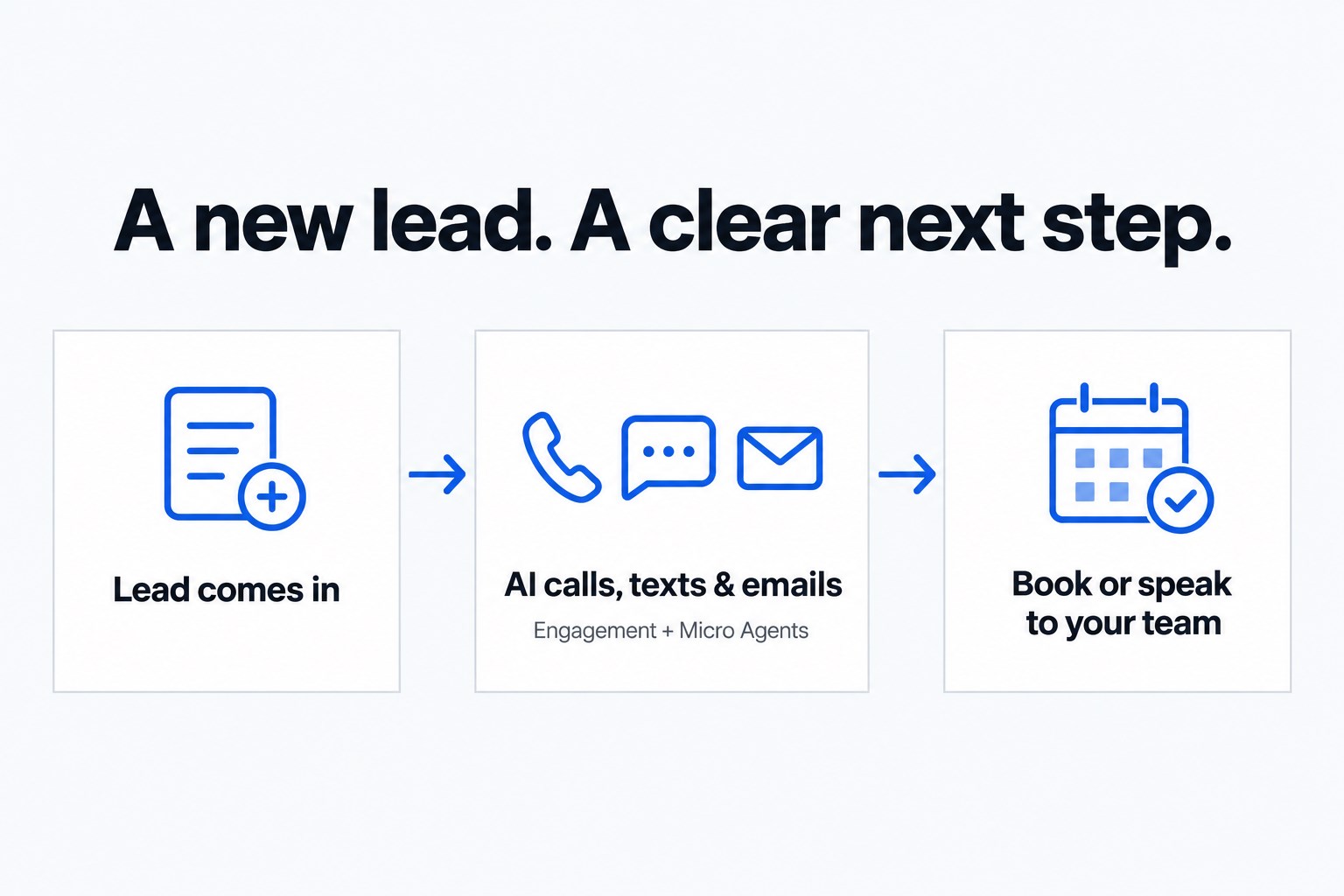
- 01 →
A new lead comes in
Start the agreed follow-up around the inquiry and its HubSpot contact.
- 02 →
Call, text and email
Engagement handles calls; Micro Agents handle the text and email follow-up.
- 03
Book or reach your team
Follow the approved booking path or warm-transfer with a private briefing.
Illustrative workflow. We confirm the connected actions and permissions for your setup before launch.
A practical example: a new lead asks about your service
A prospect fills out your inquiry form, and the lead comes into HubSpot. They want help, but your team is already busy. We build the follow-up around that request so the next conversation does not depend on someone remembering to work through a list.
- Your Engagement Agent calls. The Smart Engagement Agent™ follows your approved opening, asks the qualifying questions and finds out what the lead needs. Approved live HubSpot lookups can bring the relevant contact details into that call.
- Micro Agents keep the follow-up going. Smart Micro Agent Solutions™ sends the text and email follow-up you agree with us. For example, a message can acknowledge the inquiry and invite the lead to take the next step. We build the call, text and email cadence around your contact permissions and the rules for stopping or handing over.
- An interested lead gets a clear next step. The call can move into the agreed booking workflow or a warm transfer to your team. The person receiving the transfer hears a private briefing, and an AI call summary helps staff see what was discussed.
This is an illustrative workflow, not a customer result. We connect the lead source, HubSpot actions, follow-up and booking path for your business, then test them together before launch. Your team chooses the questions, wording, cadence and point where a person takes over.
Keep your CRM useful while someone is on the phone
A caller does not benefit from a CRM connection that only moves information after the conversation. HubSpot is verified for live lookups and logging during calls. We scope the specific information the agent may use so it can follow a more relevant path while the caller is still there.
For example, an existing contact calls about a conversation with your sales team. The agent can use an approved lookup to bring relevant context into the call, ask what the person needs now and route to a person when appropriate. It should confirm an uncertain match rather than assume two people with the same name are the same contact.
Choose a small, useful set of fields
Bring the fields your staff actually use to handle an incoming call. More data is not automatically a better conversation. Agree which fields may be read, which details should be collected and where the call information should be logged. We test those actions against your selected workflow before launch.
- Identify how contacts are matched.
- Choose the relevant fields for the call’s purpose.
- Define what happens with a missing or ambiguous result.
- Assign the person who reviews the first logged conversations.
A practical example: the caller is ready to speak to sales
The Smart Receptionist Agent™ captures the request and uses the approved HubSpot context. When the caller needs a person, the recipient hears a short whisper briefing before the warm transfer. If nobody answers, your hours, holiday and backup-group rules determine the next path.
The AI summary records what the conversation covered. The agreed HubSpot logging action should make the outcome easy for your team to find. Check it with a test record instead of assuming that the summary appears in every HubSpot object or report.
Keep the first launch bounded
An integration does not mean every HubSpot automation, property or object is included. We agree the actions needed for the first call flow. Separate any additional campaign or calendar work into a clearly described scope. The built-in Smart Command™ CRM is also available; using it does not require a promise that all HubSpot history will be migrated or mirrored.
For follow-up messaging, use the appropriate consent and opt-out process. Your team should review its wording and contact rules before a campaign starts.
Common questions
Can you follow up with new HubSpot leads?
Yes. We build a follow-up workflow with Smart Engagement Agent for calls and Smart Micro Agent Solutions for SMS and email. We agree the lead source, contact permissions, cadence, connected actions and human handoff before launch.
Can it look up HubSpot information during a call?
Yes. Live HubSpot lookups and logging during calls are verified. We confirm the specific fields and actions for your setup.
Do we have to replace HubSpot?
No. We build around your existing workflow. Smart Command is available as a built-in CRM, without an assumption that your whole HubSpot account will be migrated.
Does it update every HubSpot object?
No blanket object or workflow coverage is promised. We scope and test the actions needed for your call flow.